Disclosure: This post may contain affiliate links. If you buy through them, I may earn a commission at no extra cost to you. I only recommend tools I’d actually use.
You make money with Microsoft Copilot by selling the office work it speeds up: formatted reports, cleaned-up spreadsheets, and presentation decks. You don’t sell the tool itself. The free web version handles most of it. The paid Office integration only pays off once you have steady clients who need work done inside Word, Excel, and PowerPoint.
I tested Copilot against the kind of small admin jobs that actually get posted on Upwork and in local business groups. Turning a messy sales spreadsheet into a clean monthly report. Building a 12-slide pitch deck from a one-page brief. Drafting SOPs for a cleaning company. Some of it Copilot did well enough to bill for. Some of it I had to redo by hand. Here’s the honest split.
Why Copilot is a different bet than ChatGPT or Gemini
If you’ve read the ChatGPT no-money-down guide, most of the freelance plays there work with Copilot too. It runs on the same class of model under the hood. So why pick Copilot at all?
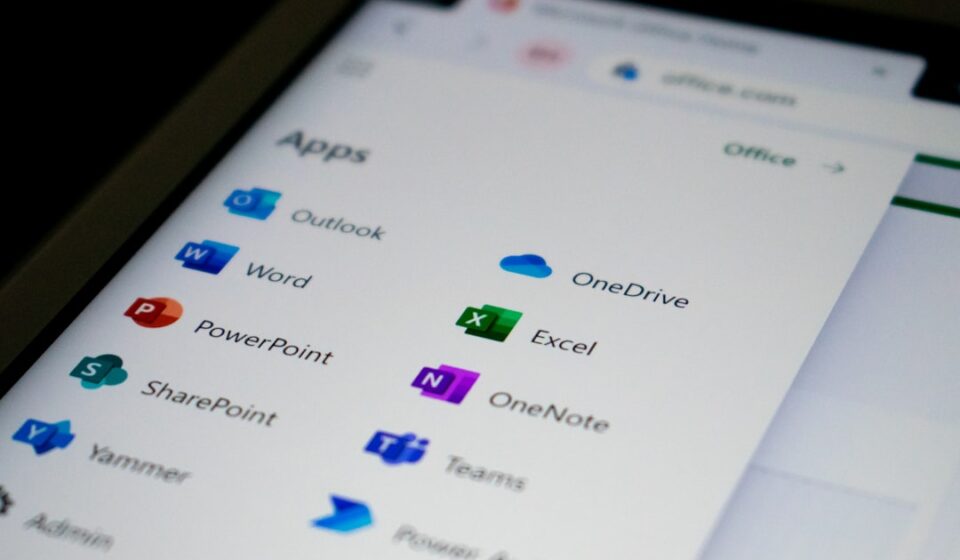
One reason: Office. Copilot lives inside Word, Excel, and PowerPoint. ChatGPT and Gemini make you copy text back and forth. Copilot can read the spreadsheet you’re staring at and rewrite it in place. For one specific type of paid work, small-business document and data jobs, that’s a real edge.
The catch (and I’ll come back to this) is that the in-app Office magic isn’t in the free tier. The free version is web chat. It’s useful, but it’s basically ChatGPT with a Microsoft logo. Know which one you’re actually using before you build a service around it.
Workflow 1: Spreadsheet cleanup and reporting
This is the most billable thing I found. Small businesses sit on ugly spreadsheets. Inconsistent date formats, duplicate rows, a “notes” column with five different ways of writing the same thing. They know it’s a mess. They don’t have time to fix it.
In the free web chat, I pasted a 200-row export and asked Copilot to flag duplicates, standardize the date column, and summarize sales by month. It got the summary right and caught most duplicates. It missed two where the spelling differed by one character. For a $40 job that’s fine. You’re checking the output anyway.
With the paid Excel integration it’s faster, because it works on the live sheet and writes formulas you can audit. But I wouldn’t pay for that until a client is already sending you files every week. Start in the free chat. Land the gig. Then decide.
Realistic pay: $30 to $75 per cleanup-and-report job, more if it’s recurring monthly. The recurring ones are the prize. Same client, same format, ten minutes of work after the first time.
Workflow 2: Presentation decks from a brief
Copilot’s PowerPoint generation is genuinely useful, and it’s the one place the Office integration earns its keep. Feed it a one-page brief and it drafts a structured deck: title, agenda, section slides, a closing. The layout is generic, but the skeleton saves an hour.
I built a 12-slide internal-training deck this way. The structure was solid. The stock-photo suggestions were terrible and the bullet points were too long for slides, which is the standard AI tell. I cut every bullet by half and swapped the images. Twenty minutes of editing on top of a two-minute draft.
People pay $50 to $150 for a deck like that. The free web chat will write you the slide-by-slide outline and copy. You just build it in Google Slides or Canva by hand instead of letting Copilot place it. Slower, but free. If decks become your main thing, the upgrade math starts to make sense.
For turning that skill into something you sell on repeat instead of per job, the digital products with AI guide covers packaging templates. Deck templates sell well on Etsy and Gumroad.
Workflow 3: Admin documents for local businesses
This one surprised me. Local service businesses (cleaners, landscapers, small contractors) need boring documents constantly. Standard operating procedures, client onboarding checklists, simple service agreements, FAQ sheets for their website.
Copilot drafts these fast, and they don’t need to be brilliant. They need to be clear and done. I drafted a 6-step onboarding SOP for a hypothetical house-cleaning business and it was about 90% usable out of the box.
Here’s why this is good freelance work. The buyers aren’t on Upwork comparing twenty bids. They’re in local Facebook groups, they don’t know AI did the work, and they value that someone just handled it. Less price competition, warmer leads.
Pay is lumpy. Maybe $25 for a single SOP, $100 to $200 for a full onboarding kit. Compared to the broader free AI tools roundup, Copilot’s edge here is just that it’s fast and the free tier is plenty for text documents.
What they don’t tell you about making money with Copilot
The whole “make money with Copilot” pitch online quietly assumes you have the paid Office integration. You probably don’t, and you don’t need it to start. But the videos showing Copilot magically rebuilding a spreadsheet are using a setup that costs real money.
Here’s the part nobody mentions. Copilot Pro is $20/month, and the in-app Office features only fully unlock if you also have a Microsoft 365 Personal or Family subscription. Without that, Pro mostly gets you the web chat with priority access. So the “magic” demos can quietly mean two subscriptions, not one. Microsoft’s own pricing page is worth reading before you assume one $20 charge covers it.
The other thing: Copilot is not a moat. Your client doesn’t care that you used Copilot instead of ChatGPT or Gemini. They care that the report is clean and on time. So don’t market yourself as “a Copilot expert.” Market the outcome: “I turn your messy spreadsheets into a monthly report you can actually read.” The tool is your kitchen, not your menu.
And the ceiling is the same as every AI service business. You’re trading time for money, just faster. Around 15 to 20 jobs a month, you’ll feel it. The exit is the same one I keep pointing people to in the make money with AI map: turn the repeatable jobs into a product (templates, a setup service, a small course) so you’re not the bottleneck forever.
How to start this week with $0
Open Copilot in your browser at copilot.microsoft.com. Free, no card. Pick one of the three workflows above. Spreadsheet cleanup is the easiest first sale.
Make one sample for free. Clean up a fake messy spreadsheet, screenshot the before and after. Post it in two or three local business or freelancer Facebook groups with a plain offer: “I turn messy spreadsheets into clean monthly reports. First one’s $30.” You don’t need a website. You don’t need Copilot Pro. You need one person to say yes.
Once you’ve done five of the same job, that’s when you look at whether the paid Office integration or a template product saves you enough time to be worth it. Not before. Buying tools before anyone has paid you is just expensive procrastination.
FAQ
Can you make money with the free version of Microsoft Copilot?
Yes. The free web version handles spreadsheet cleanup, document drafting, and presentation outlines, which is enough to bill for small freelance jobs. The paid Office integration is faster for in-app work but isn’t required to land or deliver your first clients.
Is Copilot Pro worth it for making money?
Only after you have steady work. Copilot Pro is $20/month and its full Office features also need a Microsoft 365 subscription. Start free, land recurring clients, then upgrade if the in-app Word and Excel features genuinely save you billable time.
What’s the easiest way to make money with Copilot for beginners?
Spreadsheet cleanup and reporting for small businesses. The task is concrete, the buyers know they need it, and the free tier handles it. Charge $30 to $75 per job and aim for recurring monthly clients.
Do clients care if I use Copilot instead of ChatGPT?
No. Clients pay for the outcome: a clean report, a finished deck, an on-time document. Which AI assistant produced it is irrelevant to them. Sell the result, not the tool.
How is making money with Copilot different from Gemini or Claude?
The model quality is comparable across all three. Copilot’s only real edge is its integration with Word, Excel, and PowerPoint for in-app work. For pure text and chat tasks, Gemini and Claude do the same job, so pick whichever you already have access to.
Photo by Ed Hardie on Unsplash
Related reading